Free Instagram Content Calendar Template for Small Business
Last updated: 30 September 2026
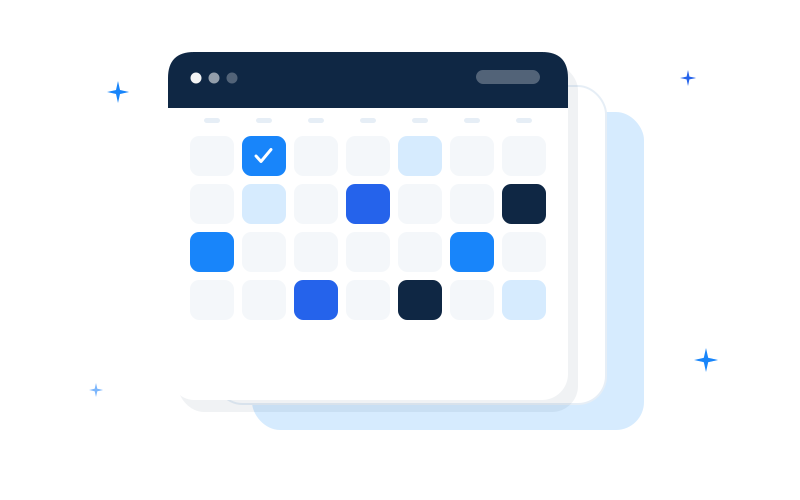
If you run a freelance practice or a small service business, Instagram often fails for one boring reason: there is no plan for what to post next. Inspiration arrives in bursts. The feed stays quiet for ten days. Then you rush a post that does not sound like you.
A content calendar fixes that. It is not a growth hack. It is a simple table that turns “I should post something” into seven (or thirty) concrete drafts you can schedule when you have one quiet hour.
This guide explains what a useful Instagram calendar looks like for small businesses, how to fill one without sounding robotic, and where to get a free starter you can download today.
Try first: Free 7-Day Instagram Starter (Bolde sample) — calendar spreadsheet, seven caption starters, and three sky-blue visual references you can recreate in Canva Free.
Full system: Bolde Social Launch Kit (€19) — 30-day calendar, 40 captions, 16 template references, brand kit, Canva guide.
What “content calendar template” actually means
For Instagram, a practical template is usually a spreadsheet (Excel, Google Sheets, or Numbers) with one row per post and columns such as:
- Date and day of week
- Format (feed post, carousel, Reel idea note, Story)
- Hook (the first line people see)
- Caption draft
- Call to action (comment, DM keyword, link in bio, book a call)
- Hashtags (3–5 specific ones beat 30 generic tags)
- Visual note (tip card, checklist, photo of work, carousel cover)
- Status (idea / drafted / designed / scheduled / posted)
You do not need fancy software. You need columns you will actually use. Extra columns for “persona journey stage” and “pillar weight %” look impressive and get ignored by busy freelancers.
Why small businesses abandon calendars
Most free calendars online fail freelancers in three ways:
- Too generic. “Motivational Monday” does not help a bookkeeper or a local photographer explain what they sell.
- Too heavy. A 90-day multi-platform Gantt chart is project management cosplay when you need seven posts.
- No captions. An empty date grid still leaves you staring at a blank caption box.
A useful free template for a small service business is short, caption-aware, and easy to adapt in plain language.
How to fill a 7-day Instagram calendar (step by step)
1. Pick one audience sentence
Write one line: “This week I am talking to ___ who struggle with ___.”
Example: “independent coaches who freeze when they open Instagram and have nothing scheduled.”
Everything on the calendar should serve that sentence. If a post idea does not help that person, cut it.
2. Use a simple weekly mix
A calm default mix for service businesses:
| Day idea | Purpose |
|---|---|
| Tip or teach | Show competence without a hard sell |
| Behind the scenes | Make the work feel real |
| Proof or process | Case-style story, checklist, before/after process |
| Offer or CTA | Clear next step (free call, booking, lead magnet) |
| Myth reframe or FAQ | Answer the objection you hear on sales calls |
| Carousel deep-dive | One topic, five slides, one CTA |
| Soft community ask | Poll, question, or “reply with X” |
You can shuffle days. The point is variety without inventing a new strategy every morning.
3. Write the hook before the caption
The hook is the first line. It should name a problem or a promise in plain words.
Weak: “Excited to share some thoughts today!”
Stronger: “If your Instagram week starts with a blank Notes app, try this 20-minute batch.”
4. Add one clear CTA
Every post needs a next step. Examples that freelancers can use honestly:
- “Save this for your next content batch.”
- “Comment ‘CALENDAR’ if you want the weekly checklist.”
- “Link in bio for the free 7-day starter.”
Do not promise results you cannot control (followers, clients, revenue). Promise clarity and a plan.
5. Batch in one sitting
Open the spreadsheet. Draft all seven hooks and captions in one hour. Design visuals later. Consistency comes from a filled calendar, not from daily inspiration.
Free vs paid: what you actually need
Start free if you have never finished a full week of planned posts. A seven-day sample proves whether a calendar fits your workflow.
Download the Free 7-Day Instagram Starter (Bolde sample): a 7-day content calendar spreadsheet, seven editable caption starters, and three sky-blue HTML visual references (tip card, checklist, carousel cover) with guidance to recreate them in Canva Free.
Upgrade when you want a full month planned in one go: more caption variety, more visual references, and a small brand kit so the month looks like one business. That is the Bolde Social Launch Kit — €19 one-time on Lemon Squeezy: 30-day calendar (xlsx), 40 captions, 16 references, Canva Free setup guide, brand kit, bonus freelance invoice spreadsheet.
Honest scope note: these are planning and design aids. They do not promise followers, clients, or income.
How to adapt any template to your service
Replace bracketed placeholders with concrete language:
- Instead of “our clients,” write “first-time homebuyers” or “SaaS founders on seed.”
- Instead of “book a call,” write the exact next step you use.
- Instead of stock hashtags, use 3–5 tags your buyers might search locally or by niche.
Keep the structure. Change the nouns. That is how a template becomes your voice.
Common mistakes when using a free calendar
- Copying captions verbatim when they still contain someone else’s niche language.
- Posting seven tips and zero CTAs — helpful, but no path to a conversation.
- Designing before drafting — pretty empty posts still empty.
- Skipping Stories — even a simple poll can support the week’s feed theme.
- Abandoning the status column — without “drafted / scheduled,” the sheet becomes a graveyard of ideas.
A one-hour weekly ritual
- Review last week: which posts got saves or DMs? (Not vanity likes alone.)
- Clear seven rows for the coming week.
- Draft hooks and CTAs first.
- Fill captions.
- Assign visual types (tip card, checklist, photo, carousel).
- Recreate visuals in Canva Free.
- Schedule or set phone reminders.
If that ritual feels useful after one free week, a 30-day kit simply extends the same habit.
Where to go next
- Site: https://bolde.fi/ — Bolde Social Launch Kit overview
- Free sample: Free 7-Day Instagram Starter (Bolde sample)
- Related reading: how to plan a full month of Instagram posts; Instagram caption ideas for service businesses
A free Instagram content calendar template will not replace your expertise. It will stop the blank page from deciding your posting schedule. Start with seven days. Keep what works. Expand when you are ready.
Bolde — practical social content tools for freelancers and small service businesses. Questions: nordicdatalabs@gmail.com