How to Plan a Month of Instagram Posts (Without Burning Out)
Last updated: 1 October 2026
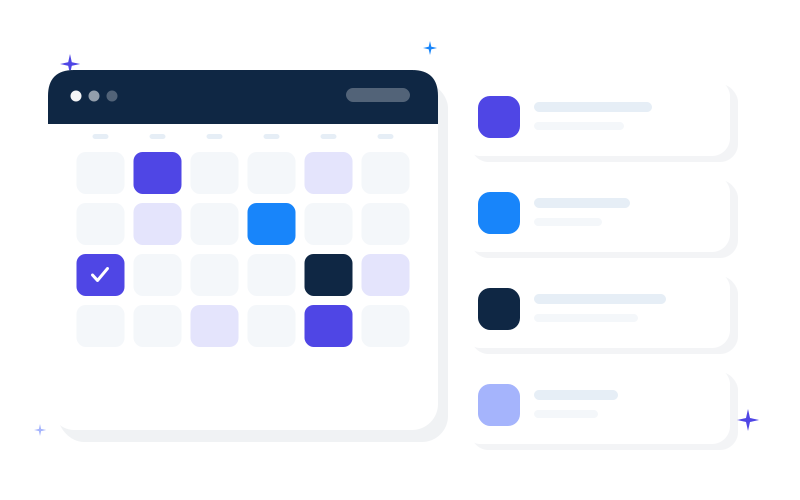
Planning a month of Instagram posts sounds heavy until you treat it like batch cooking: one shopping list, one prep session, leftovers you can reheat. Freelancers and small service businesses do not need a content department. They need a repeatable month plan that fits into a few focused hours.
This article walks through a concrete method: define themes, build a 30-row calendar, write hooks first, design second, and leave room for real life. You can test the rhythm with a free week, then expand.
Free trial week: Free 7-Day Instagram Starter (Bolde sample)
Ready-made 30-day system: Bolde Social Launch Kit (€19) — calendar, captions, visual references for Canva Free.
Why monthly planning beats daily inspiration
Daily inspiration optimizes for mood. Monthly planning optimizes for clarity:
- You stop negotiating with yourself every morning.
- Offers and CTAs can be paced (not three sales posts in a panic on day 28).
- Visuals stay consistent because you decide the look once.
- You can take a day off without the feed going dark for two weeks.
You will still adjust mid-month. Planning is a draft of attention, not a prison.
Step 1: Choose 3–4 content themes for the month
Themes are buckets, not slogans. Examples for a consultant or coach:
- Teach — short tips that show how you think
- Proof — process, checklists, anonymized lessons from work
- Personal/ops — behind the scenes of how you deliver
- Invite — clear CTAs (book, download, reply)
For a local service (photographer, physio, repair): teach + proof + booking CTA still works. Write your four buckets at the top of the spreadsheet.
Step 2: Decide posting frequency you can keep
Honesty beats ambition.
| Capacity | Suggested month plan |
|---|---|
| Busy solo | 12 feed posts (3/week) + Stories as energy allows |
| Steady | 16–20 feed posts |
| High focus month | ~30 daily posts (only if drafting is batched) |
If you have never completed a planned week, do not start with 30 daily posts. Start with 12–16 quality rows. You can always add.
Step 3: Build the skeleton calendar
Create 30 rows (or as many as your frequency needs). For each row, fill only:
- Date
- Theme bucket
- Format (single image, carousel, Story support)
- One-line idea
Example one-liners:
- “Checklist: what to send before a discovery call”
- “Myth: you need daily Reels to be taken seriously”
- “CTA: free 7-day calendar download”
- “Carousel: 5 caption hooks that name the problem”
Skeleton first. Prose second. Design third.
Step 4: Write every hook in one sitting
Block 45–90 minutes. For each idea, write only the first line. Hooks should be specific enough that a stranger understands the post.
Formula that works for service businesses:
[Audience or situation] + [friction] + [promise of clarity]
Examples:
- “Freelancers: if Sunday night is when you ‘should post,’ batch on Thursday instead.”
- “Clients do not need another motivational quote. They need to know what happens after they enquire.”
When hooks are done, expand each into a short caption (3–8 short paragraphs or a tight carousel script).
Step 5: Assign CTAs on purpose
Map CTAs across the month so you are not selling every day:
- Week 1: mostly teach + soft saves
- Week 2: teach + one proof + one soft CTA
- Week 3: deeper carousel + FAQ
- Week 4: clearer invite (lead magnet, booking, reply keyword)
A free lead magnet fits naturally here. Point people to the Free 7-Day Instagram Starter (Bolde sample) when the post is about planning or batching—not randomly under unrelated tips.
Step 6: Design in batches, not per post
Pick a simple visual system:
- One background colour family
- One headline style
- Two layouts you reuse (tip card, checklist)
sky-blue tip cards, checklists, and carousel covers are easy to recreate in Canva Free at 1080×1080 (feed) and 1080×1920 (Stories). You do not need Canva Pro to be consistent.
If you want references plus a setup guide already written, that is part of the Bolde Social Launch Kit.
Step 7: Schedule, then protect a weekly review
Schedule what you can. Keep a status column: drafted → designed → scheduled → posted.
Every Friday (or Monday), spend 15 minutes:
- What got saves or thoughtful comments?
- Which CTA got replies?
- What feels outdated for next week?
Swap two posts if needed. Do not scrap the whole month because one post underperformed.
A realistic time budget
| Task | Time |
|---|---|
| Themes + skeleton | 30–45 min |
| Hooks + captions | 1.5–3 hours |
| Visuals for 12–20 posts | 2–4 hours |
| Scheduling | 30–60 min |
| Weekly review | 15 min × 4 |
Total: roughly one focused afternoon + light weekly touch. That is a month of Instagram without daily creative debt.
What not to do
- Plan 90 days before you finish 7.
- Copy viral formats that do not match your offer.
- Promise “clients in 30 days” in captions—you cannot control that.
- Leave every CTA as “link in bio” with no reason to click.
- Redesign the brand colours every week.
Template shortcut
If you want the spreadsheet structure and starter copy without inventing columns:
- Download the Free 7-Day Instagram Starter (Bolde sample) and run one week with the method above.
- If the week felt calmer, use the Bolde Social Launch Kit for a full 30-day calendar, 40 captions, and 16 visual references (€19 one-time).
More on the products and honest FAQ: bolde.fi.
Closing
Planning a month of Instagram posts is an operations problem, not a personality problem. Themes, a skeleton calendar, hooks first, batched design, paced CTAs, and a short weekly review will beat waiting for inspiration. Start with a week if you need proof. Expand to a month when the habit sticks.
Bolde · nordicdatalabs@gmail.com